Scraping Google Jobs Board
Learn how to use Python to search and scrape a Google Job Board.


Yes, remote work is becoming increasingly popular. Remote work has been shown to increase productivity, save businesses money, and provide workers with more flexibility and control over their work-life balance. Let’s build a job board web scraper to automate our job search to help us find work from jobs.
The use of job board scraping is becoming increasingly popular due to the ever-growing number of job postings available online. We will be creating a script in Python to search Google Job board. See the complete script on Github.
Tools Required
You’ll need Python 2.7+ and some packages to get started. Once you install Python, you can run the following command to install the necessary packages.
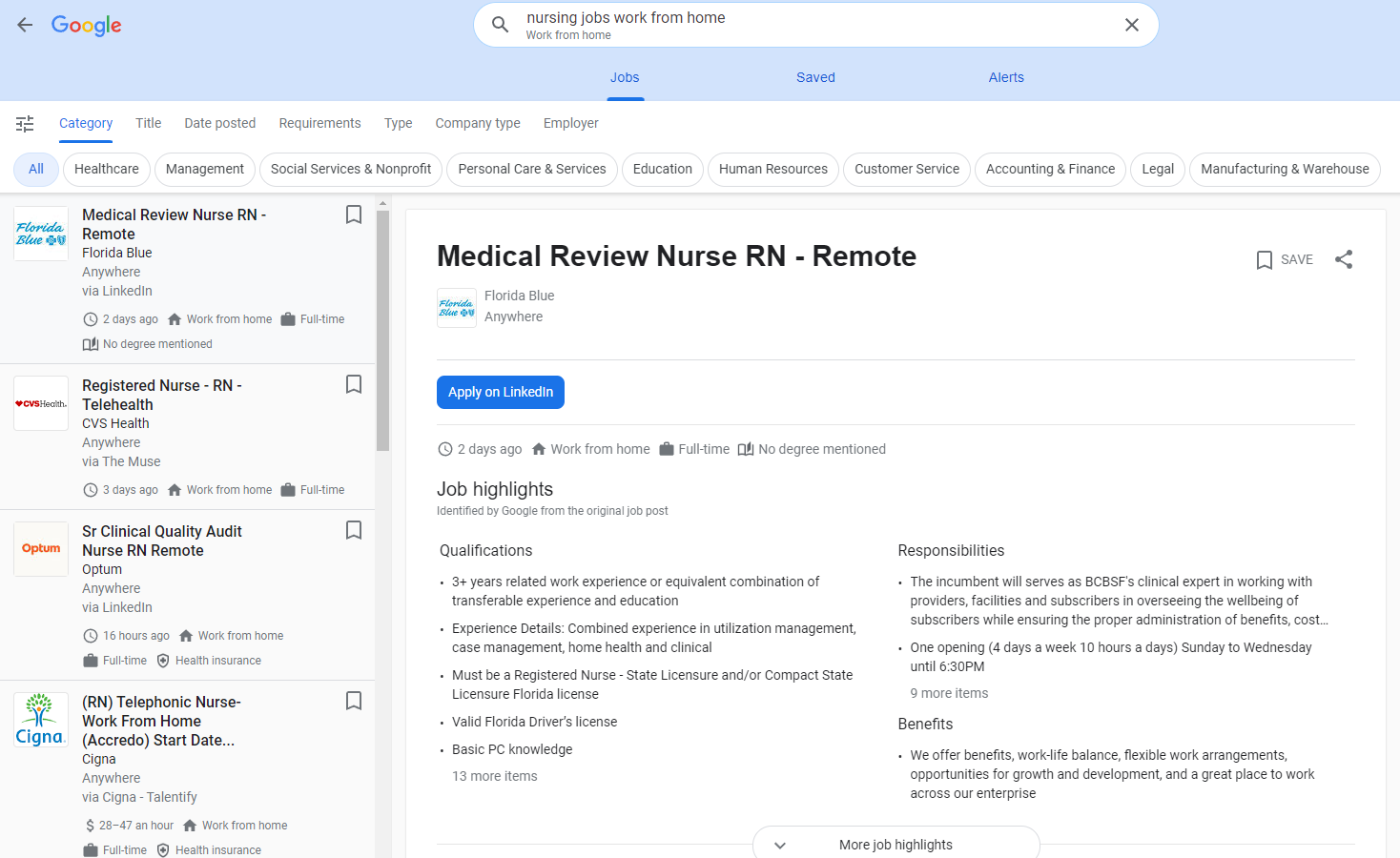
pip install requests bs4 lxmlYou have to use a specify query when searching on Google jobs board. You can specify the location and filter for remote jobs by using the keywords+ work from home. For example, if you want to search for a remote nurse position you have to use the terms nurse+work+from+home
An example of the complete URL will be https://www.google.com/search?q=nurse+work+from+home&ibp=htl;jobs
Note: Google’s job board now renders its results with JavaScript, so a plain
requests.get()against this URL no longer returns a populated job list. The manual scraping steps below are kept for reference; if you need working results today, skip to the API example near the bottom of this post.
So our script will have to build this URL and grab the page source.
import requests
from bs4 import BeautifulSoup

keywords = "nurse+work+from+home"

# build the url
URL = f"https://www.google.com/search?q={keywords}&ibp=htl;jobs"

# make the request to get html
resp = requests.get(URL)
html = resp.content
Next, we need to parse the page for the jobs. That is where beautifulsoup comes in. It is an excellent library for parsing html code. You can right click the page content to see what to parse.
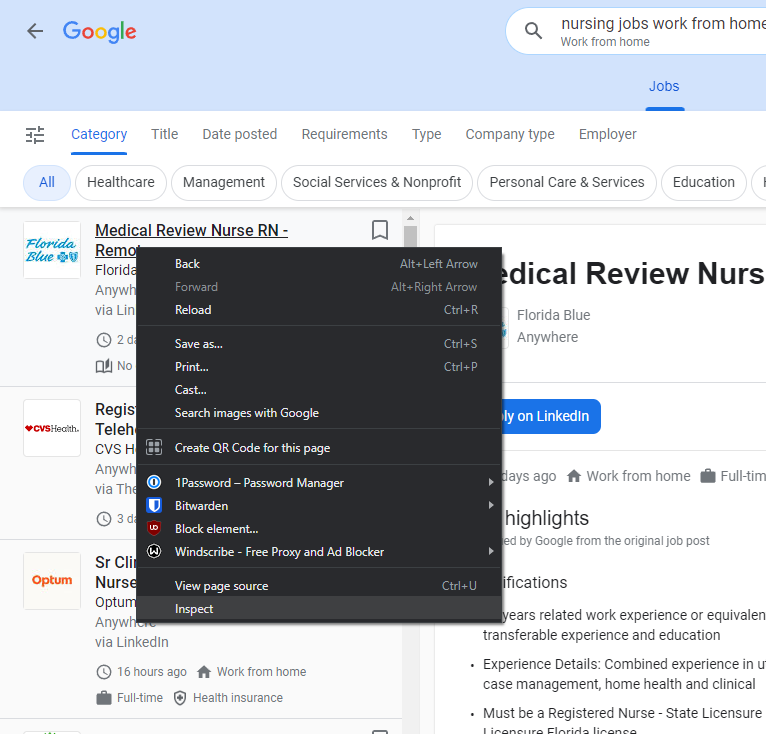
Then you can select the job title and get the selector to that job title.
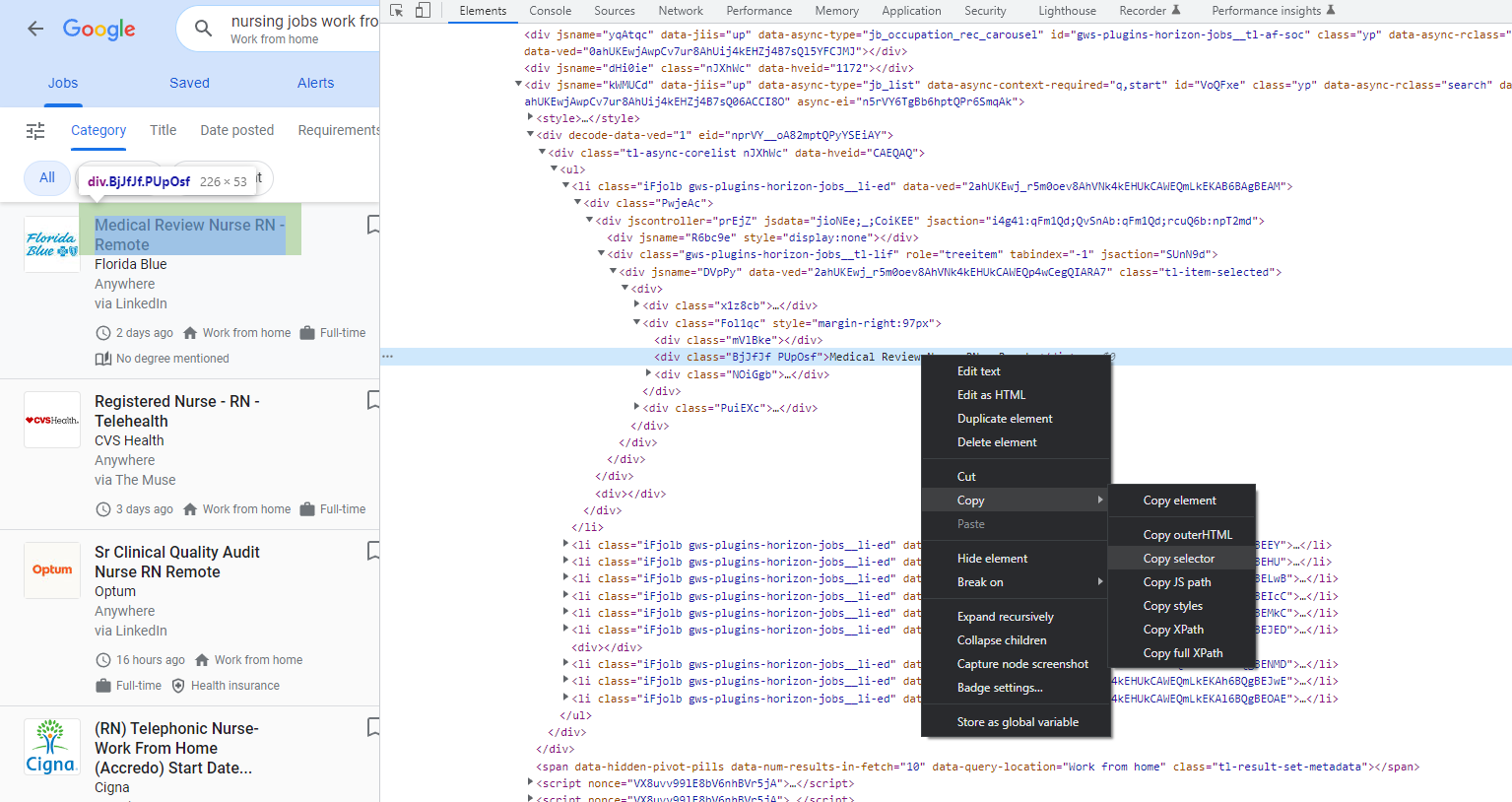
Lets pass in the html content into beautifulsoup
# create a results variable to save the values
results = {"jobs": []}

# load the html into beautiful soup
soup = BeautifulSoup(html, "lxml")
Grab the job list using selector in beautifulsoup
# grab the job list
job_list_div = soup.find('div', {"aria-label": "Jobs list"})
# grab the un ordered list
job_ul = job_list_div.find('ul')
# get all the list items
job_list_items = job_ul.find_all('li', recursive=False)
Then we iterate through the list of divs to get the job title, location and perks. While printing out the job content.
# parse each list item
for job_list_item in job_list_items:
    job = {
        "perks": [],
        "position": job_list_item.find("h2").text
    }

    # grab the job title
    job["position"] = job_list_item.find("h2").text

    # get div with company name
    company_div = job_list_item.find("div", {"class": "vNEEBe"})
    job["company"] = company_div.text

    # get div with location
    location_div = job_list_item.find("div", {"class": "Qk80Jf"})
    job["location"] = location_div.text

    # get perks
    perks_divs = job_list_item.find_all("div", {"class": "I2Cbhb"})
    for perks_div in perks_divs:
        job["perks"].append(perks_div.text)

    print(job)
Then finally the results that the script produces:
[{'perks': ['3 days ago', 'Work from home', 'Full-time', 'No degree mentioned', '3 days ago', 'Work from home', 'Full-time', 'No degree mentioned'], 'position': 'TELE-TRIAGE REGISTERED NURSE (Remote)', 'company': 'BrightSpring Health Services', 'location': 'Anywhere'},
{'perks': ['2 days ago', 'Work from home', 'Full-time', '2 days ago', 'Work from home', 'Full-time'], 'position': 'Registered Nurse Oncology remote telephone', 'company': 'Inova Health System', 'location': 'Anywhere'},
{'perks': ['7 days ago', 'Work from home', 'Full-time', 'No degree mentioned', '7 days ago', 'Work from home', 'Full-time', 'No degree mentioned'], 'position': 'Virtual Remote-Patient Monitoring Registered Nurse (RN)', 'company': 'Orah', 'location': 'Anywhere'}]
There you have it. This script is pretty simple and grabs only the job title, company, and perks. This script can be improved and updated to grab the job descriptions.
Maybe the script can even automatically apply to the position and submit your resume. 😎 If you’re looking for a scalable API service to automate the scraping requests checkout jobs boards API. Its even easier, feature rich, and extracts more information. Check out how simple it is to call the API is.
import requests
url = "https://api.serply.io/v1/job/search/?q=nurse+practitioner"
headers = {"X-Api-Key": "YOUR_API_KEY"}
response = requests.request("GET", url, headers=headers)
print(response.json())
Here are the examples that it returns.
{
	"jobs": [
		{
			"position": "Per Diem / PRN Nurse Practitioner - Family Practice",
			"employer": "Vivian Health",
			"employer_link": "https://example.com/company/vivian-health",
			"location": "Sterling, VA",
			"link": "https://example.com/jobs/view/per-diem-prn-nurse-practitioner-family-practice-3459331245",
			"posted_at": "2026-08-15"
		},
		...
	]
}
See the Google Jobs docs for the full field reference.